
Florida professional engineers must complete and report continuing education before license renewal. The process has changed in recent renewal cycles, so it is important to understand where records go, which courses count, and how to avoid mistakes that can delay renewal.
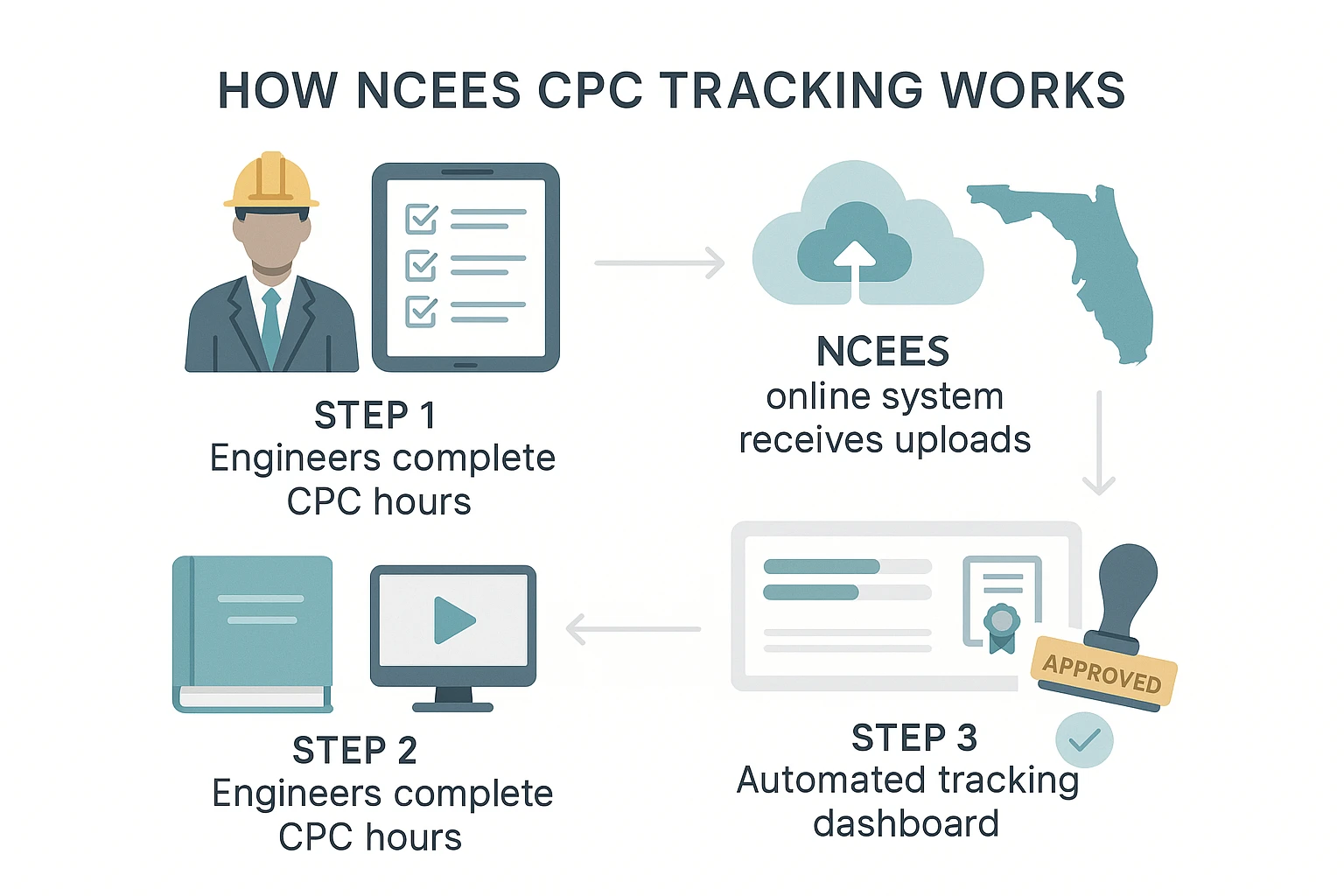
A common question is how do Florida engineers report continuing education when they have certificates from different providers, online courses, webinars, and technical training. The answer starts with NCEES CPC Tracking. Florida PEs use that system to report completed CE hours to the Florida Board of Professional Engineers. The state licensing account is still used for renewal, license status, and payment, but continuing education records are reported through the NCEES system.
PDH-Pro helps engineers stay organized by offering Florida PE continuing education courses, including Florida Laws and Rules, ethics, and technical coursework. After completion, engineers can save certificates and use them when entering course details into NCEES CPC Tracking. With the right records and a clear process, reporting becomes manageable and renewal is much less stressful.
Continuing Education Reporting for Professional Engineers
Florida professional engineers must complete 18 continuing education hours during each biennial renewal period. These hours support license renewal and help engineers stay current with laws, ethics, technical standards, and professional practice.
The required 18 hours include one hour in Florida Laws and Rules, one hour in professional ethics, four hours related to the engineer’s area of practice, and 12 hours on topics related to engineering practice. Engineers should confirm that every course they select fits the current Florida Board requirements before relying on it for renewal.
Reporting is now part of the renewal process for all Florida PEs. That means completing a course is not enough. Engineers also need to keep completion documents and enter qualifying education in the correct system. The only exception is the Florida Laws and Rules course, which is reported directly by the CE provider. Even then, the licensee should verify that the course appears properly before renewal.
For busy engineers, reporting can feel like one more administrative task. A simple workflow helps:
- Complete Florida-approved courses during the renewal period.
- Download and save each certificate right away.
- Enter completed CE in NCEES CPC Tracking.
- Confirm the Florida Laws and Rules course appears in the licensing account.
- Keep proof of completion for the required record retention period.
- Complete license renewal through the state licensing system.
PDH-Pro supports this process with online courses and completion certificates that can be saved for reporting and records. Engineers can select Florida-focused courses, complete them on a flexible schedule, and keep documentation ready before renewal deadlines create pressure.
NCEES CPC Tracking and the Florida Board
NCEES CPC Tracking is the system Florida professional engineers use to report continuing education. It is separate from the DBPR licensing account. That separation matters because many licensees expect to upload certificates directly through the state licensing portal, but FBPE directs engineers to report CE through NCEES instead.
The NCEES CPC Tracking system allows engineers to create an account, select Florida as a licensing board, enter renewal period information, add completed courses, upload supporting documents, and track hours. Engineers licensed in multiple states can also use the system to organize continuing education records for different boards and renewal periods.
The Florida Board uses reported CE information to support renewal review and compliance. Engineers should make sure the entries match the course certificate. A mismatch in date, provider name, hours, or course title can create confusion if the board reviews the record.
The free NCEES CPC Tracking system is especially useful because it gives engineers one place to store proof. Instead of relying on scattered emails, downloads, and paper files, a licensee can keep reporting records in a structured account. That is helpful during renewal and even more helpful if the board later asks for documentation.
Florida Laws and Rules works differently. Board-approved providers report that course directly. Engineers should still check the state licensing account to confirm that it has been received. If it does not appear, contact the CE provider before submitting renewal.
PDH-Pro’s Florida Laws and Rules course and other Florida PE continuing education options are designed to help engineers meet renewal needs and maintain organized completion documents. Engineers can use PDH-Pro certificates when entering qualifying courses into NCEES CPC Tracking.
What Engineers Need Before They Report CE
Accurate reporting starts before logging into any system. Engineers should gather records, confirm course eligibility, and review the renewal period. Reporting the wrong course, wrong date, or wrong number of hours can create issues later.
Before reporting, gather these items:
- Course certificate showing completion date, provider, title, and hours.
- Provider information showing the course came from an acceptable CE provider.
- Course description or transcript if available.
- Renewal period dates to confirm the course was completed in the correct cycle.
- Florida Laws and Rules confirmation in the licensing account.
- NCEES account access with current login information.
- License details so the correct state board and license record are selected.
Course timing matters. CE must be completed during the correct renewal period. A course taken outside the period may not count toward the current renewal unless the board gives specific direction. Engineers should also avoid assuming that an old certificate can be reused.
The course topic matters as well. Florida requires a mix of categories, so engineers should track not only total hours but also category requirements. A licensee may have 18 total hours and still be short if the required ethics, Florida Laws and Rules, or area-of-practice category is missing.
PDH-Pro helps reduce confusion by offering Florida PE renewal packages and individual courses tied to state requirements. Engineers can choose options that fit their license needs, complete the courses online, and save certificates for reporting. That creates a cleaner path from course selection to renewal documentation.
Steps to Report CE in NCEES CPC Tracking
Once records are ready, engineers can report their CE through NCEES CPC Tracking. The process is straightforward, but it works best when documents are organized before starting.
A practical step-by-step process includes:
- Log in to your NCEES account or create one.
- Open the CPC Tracking area.
- Select Florida as the licensing board.
- Enter the applicable renewal period.
- Add each qualifying CE course or activity.
- Enter the provider, course title, date, and number of hours.
- Upload proof of completion when requested or available.
- Review all entries before saving.
- Confirm the total hours and categories match Florida requirements.
- Keep copies of all certificates and renewal confirmations.
Engineers should enter courses soon after completion instead of waiting until the deadline. Reporting throughout the renewal period reduces the chance of lost documents, password issues, rushed mistakes, or missing hours.
Do not use the DBPR account as a storage place for CE certificates. The licensing account is still needed for renewal and fee payment, but CE reporting is handled through NCEES CPC Tracking. The Florida Laws and Rules course is the main item that should appear in the licensing account because the provider reports it directly.
The table below shows how the systems work together.
| Task | System or Source | Engineer Action |
| Complete CE course | Approved CE provider | Finish the course and save the certificate |
| Report most CE hours | NCEES CPC Tracking | Enter course details and upload proof |
| Confirm Florida Laws and Rules | DBPR licensing account | Check that provider reporting appears |
| Renew license | State licensing system | Review license details and pay the renewal fee |
| Keep records | Personal files and NCEES account | Retain certificates and supporting documents |
| Resolve missing course data | CE provider or FBPE | Contact the right party before renewal |
The safest approach is to report early, check entries carefully, and keep backup records. If a course entry is incomplete or a certificate is missing, fix the issue before the renewal window is closing.
Avoiding Reporting Mistakes and Record Problems
Most reporting issues come from preventable mistakes. Engineers may complete the right courses but fail to save proof, enter the wrong date, confuse PDH and CEH labels, or assume that the provider reports every course. A clean process prevents most of these problems.
One common mistake is waiting too long. When engineers delay reporting until renewal is near, small problems can become time-sensitive. A missing certificate, incorrect account email, or provider reporting delay can create stress that would have been easy to fix earlier.
Another mistake is relying only on email receipts. A purchase receipt is not the same as proof of course completion. Engineers should save the certificate and, when available, the transcript or course description. The board may need proof that the course was completed and that the content fits Florida requirements.
Category tracking is another problem area. Engineers should not only count total hours. They should confirm that the required Florida Laws and Rules, ethics, and area-of-practice hours are covered. If a course is technical but not tied to the required category, it may still count toward general engineering hours but not solve a category shortage.
PDH-Pro makes recordkeeping easier by providing accessible completion documents after courses are finished. Engineers can download certificates, store them in a renewal folder, and use the information when reporting CPE through NCEES CPC Tracking.
Good record habits include saving certificates immediately, naming files clearly, keeping a renewal folder by biennium, and checking NCEES entries against certificates before submission. Engineers should also keep documentation after renewal, since board review can happen later.
PDH-Pro Support for License Renewal and CE Reporting
PDH-Pro supports Florida engineers with continuing education options built for renewal. Engineers can choose Florida PE courses, Laws and Rules training, ethics coursework, technical courses, and state-specific packages that help them meet the 18-hour requirement.
The benefit is not only course access. It is also a smoother reporting workflow. When a course is completed, the engineer receives documentation that can be saved and used for NCEES CPC Tracking. This helps licensees keep proof organized and ready for renewal, audits, or board review.
For engineers with demanding project schedules, online access is useful. Self-paced courses allow licensees to complete training when their schedule allows. Live webinar options can also support learning preferences and provide structured instruction. Both formats can help engineers maintain professional growth while meeting Florida requirements.
PDH-Pro is also useful for firms that want to support multiple licensed staff members. A firm can encourage early course completion, remind engineers to save certificates, and help staff plan renewal coursework before deadlines approach. Each licensee remains responsible for reporting, but a consistent training provider and organized documentation process can reduce confusion.
Florida engineers who are preparing for renewal should review their current CE status, choose any missing courses, download records, and report qualifying hours in NCEES CPC Tracking. PDH-Pro can help fill course gaps and provide completion documents that make reporting easier.
Report Early and Keep Your Florida PE Records Ready
Florida engineers report continuing education through NCEES CPC Tracking, while license renewal and payment remain part of the state licensing process. The Florida Laws and Rules course is reported by the provider, but the engineer should confirm it appears correctly before renewal.
The best approach is to complete courses early, save proof of completion, enter CE in NCEES CPC Tracking throughout the renewal period, and keep records for future review. That process helps engineers avoid last-minute problems and maintain good standing with the Florida Board.
PDH-Pro gives professional engineers a practical way to meet Florida continuing education requirements with online courses, Florida Laws and Rules training, ethics options, technical content, and easy-to-save certificates. Start by checking your current CE record, choosing any remaining courses, and organizing your completion documents now. With a reliable provider and a clear reporting process, Florida PE license renewal becomes easier to manage.